Account cleanup
Review accounts. Keep the orders.
Find suspicious sign-ups, review the evidence and choose which accounts need a temporary restriction.
In Gate House 1.2.1: Settings → Attack cleanup
Build a preview
Choose the registration dates you want to review, up to 31 days in UTC. Keep the default repeated-profile threshold unless you have a reason to change it, then select Build preview.
The preview scans up to 2,000 customer accounts. It doesn’t change any accounts.
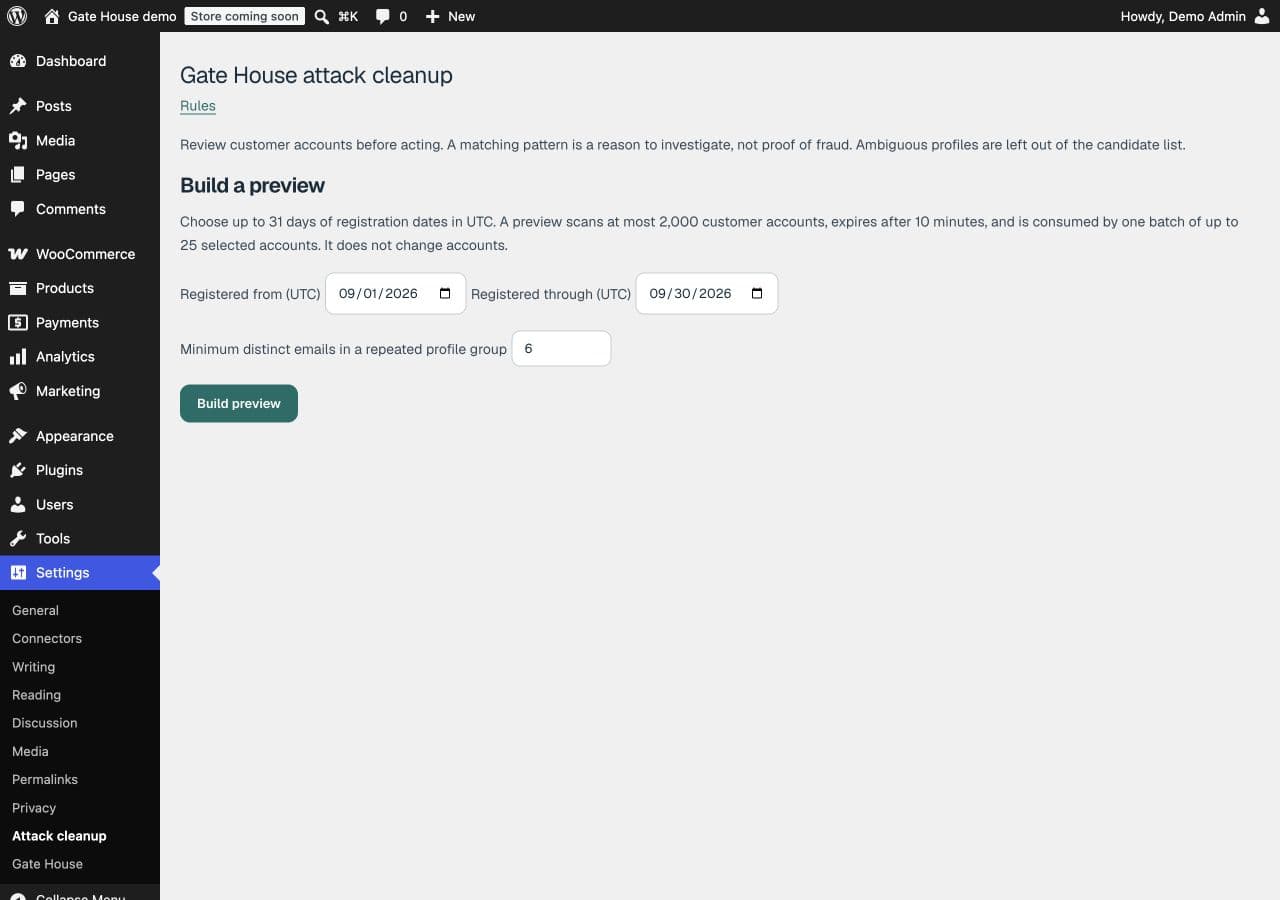
Start with a date range and build a preview before selecting accounts.Open full-size image (opens in a new tab) Review each candidate
Read the Review reason, check Order history and look at Available actions. Investigate the account before selecting it. Some accounts may share legitimate details.
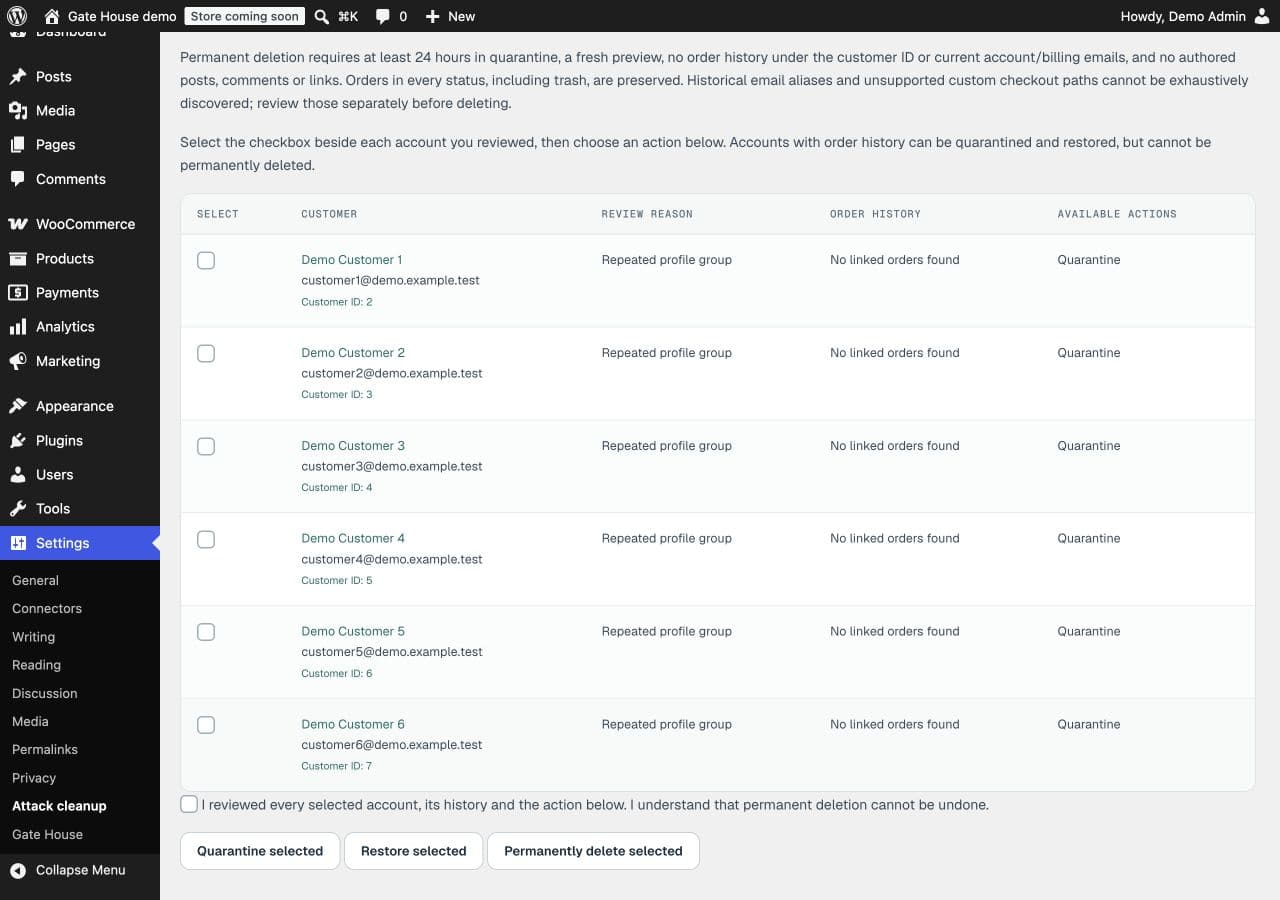
Review the reason and available actions before selecting an account. These are demonstration accounts.Open full-size image (opens in a new tab) Select up to 25 accounts and quarantine
Tick the individual checkboxes for the accounts you’ve reviewed. Tick the review acknowledgment, then choose Quarantine selected. Read the result notice before moving on.
In version 1.2.1 a page may show 50 rows, but a batch accepts at most 25 selected accounts. There is no select-all control in this version.
Restore access when needed
Build a fresh preview covering the account’s registration date. Select the quarantined account, acknowledge your review and choose Restore selected. Restoration removes the restriction; it doesn’t change the customer’s role or orders.
Permanent deletion is a separate decision
Cleanup never deletes orders. An account with linked order history, including failed orders, can be quarantined or restored but cannot be permanently deleted.
When is permanent account deletion available?
Only after at least 24 hours in quarantine, using a fresh preview, with no linked orders in any status and no authored posts, comments or links. Privileged accounts and uncertain histories are protected.
Review any historical email aliases or custom checkout records separately. If eligibility is confirmed, select the account, acknowledge your review and choose Permanently delete selected. This deletes the account and cannot be undone.
Why can’t I select an account or complete an action?
Read the row’s available actions and confirm that every selected account supports the same action. Unknown order history, protected roles, recovery mode, expired previews or changes since the preview can prevent an action. Build a fresh preview and select no more than 25 eligible accounts.
If it still fails, contact support with the notice wording and chosen action. Remove customer details from screenshots first.