Protection settings
Choose your protection
Start with limits on repeated attempts and checks for suspicious accounts. Neither needs a CAPTCHA account.
In WordPress: Settings → Gate House → Rules
Choose the forms and limits
Find the area you want to protect, such as sign-in or checkout. Turn on Limit repeated attempts. Open Choose for each form when you need more specific controls.
Choose Light, Balanced or Strict for the attempt threshold, or Custom for individual values. Changing the level adjusts the limits; it doesn’t turn forms on or off. Select Save changes when you’re ready.
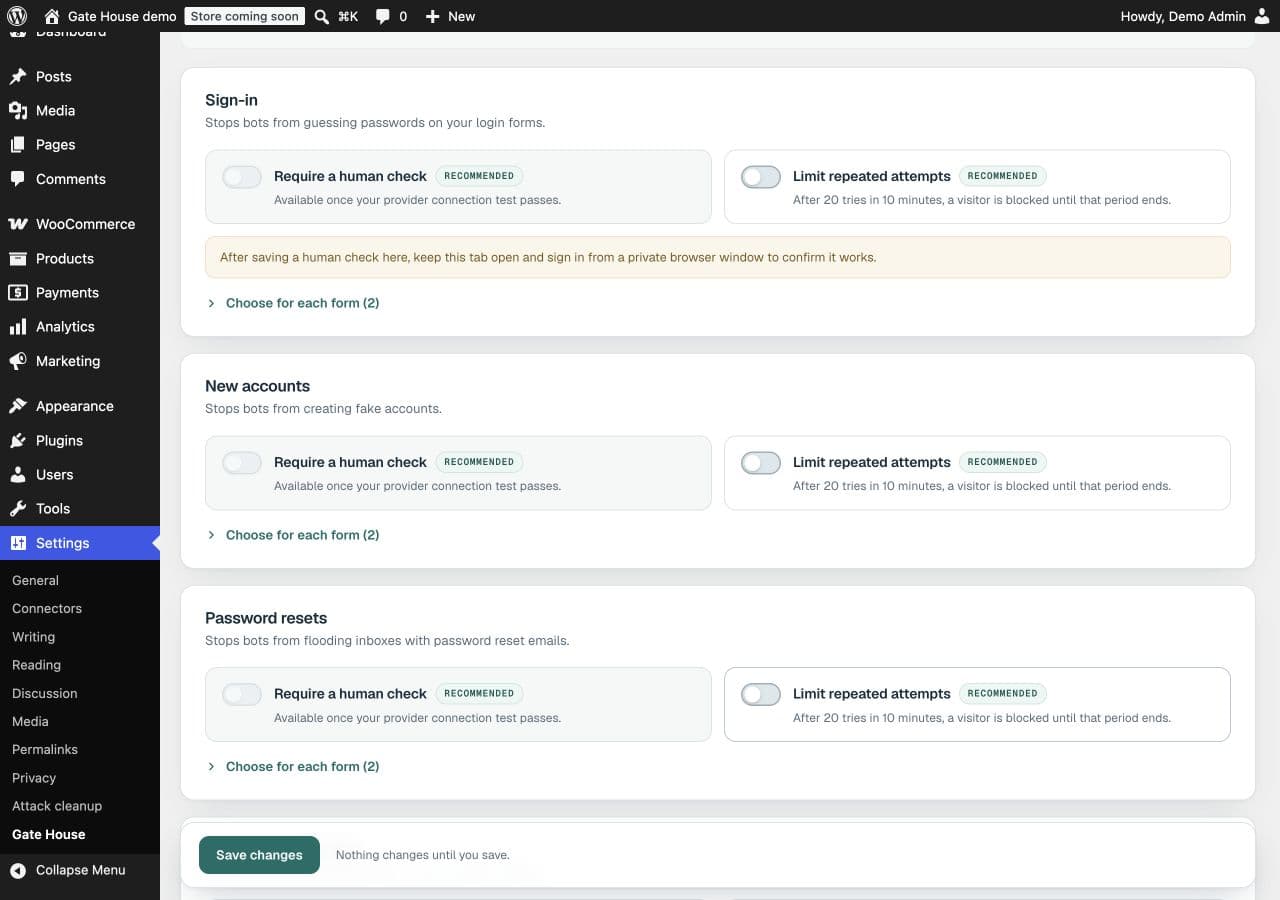
Human checks and attempt limits are separate controls. Use the ones your site needs.Open full-size image (opens in a new tab) Review suspicious-account checks
On the same page, find Account abuse protection. This looks for combinations of generated profile details or repeated identities on supported registration and payment paths.
- Off
- Don’t run the account checks.
- Observe — record matches
- Record matching patterns so you can review them without blocking these attempts.
- Block matching attempts
- Stop attempts that match the account rules on supported paths.
Start in Observe, review the results in Activity, then choose blocking when appropriate. Select Save account abuse mode to save this setting.
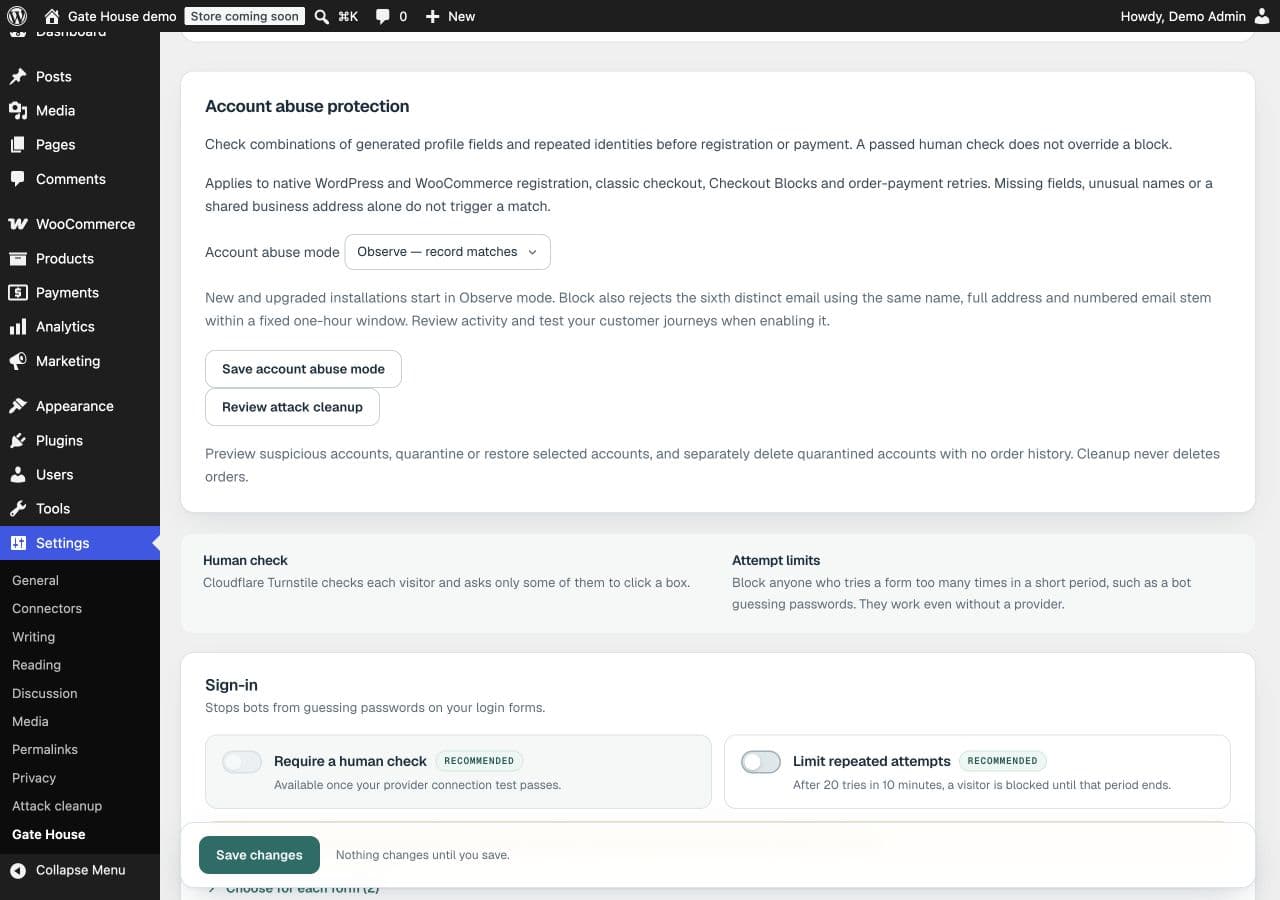
In version 1.2.1, account-abuse mode has its own Save button.Open full-size image (opens in a new tab) Test before applying settings to your live site
On staging, try the forms your customers use, including checkout with your payment gateway in sandbox mode. Review both successful and rejected attempts before using the tested settings on your live site.
What does the recommended setup change?
The recommended setup enables account-abuse blocking and suggested attempt limits. It can also enable suggested human checks when a current provider connection test has passed. Checkout’s human check and checkout page-load limits remain choices for you to make.
Review your resulting Rules settings and test your journeys. The recommended setup doesn’t prove that your particular checkout or payment method is compatible.
What should I use during a burst of repeated attempts?
Attack mode temporarily tightens limits for the areas you select. Choose 15, 30 or 60 minutes; the usual limits return afterward. Keep reviewing Activity while it runs.
Want human verification too? Connect your CAPTCHA service.