Pro · Detailed activity
Understand what happened
Pro’s Activity history records individual protection decisions and their reasons. When someone reports trouble signing in or checking out, start with the time and form they used.
In version 1.21.0 and later, open Gate House directly in the WordPress sidebar, then choose the tab named in this guide. Version 1.20.1 and earlier use Settings → Gate House.
With Pro active: Gate House → Activity
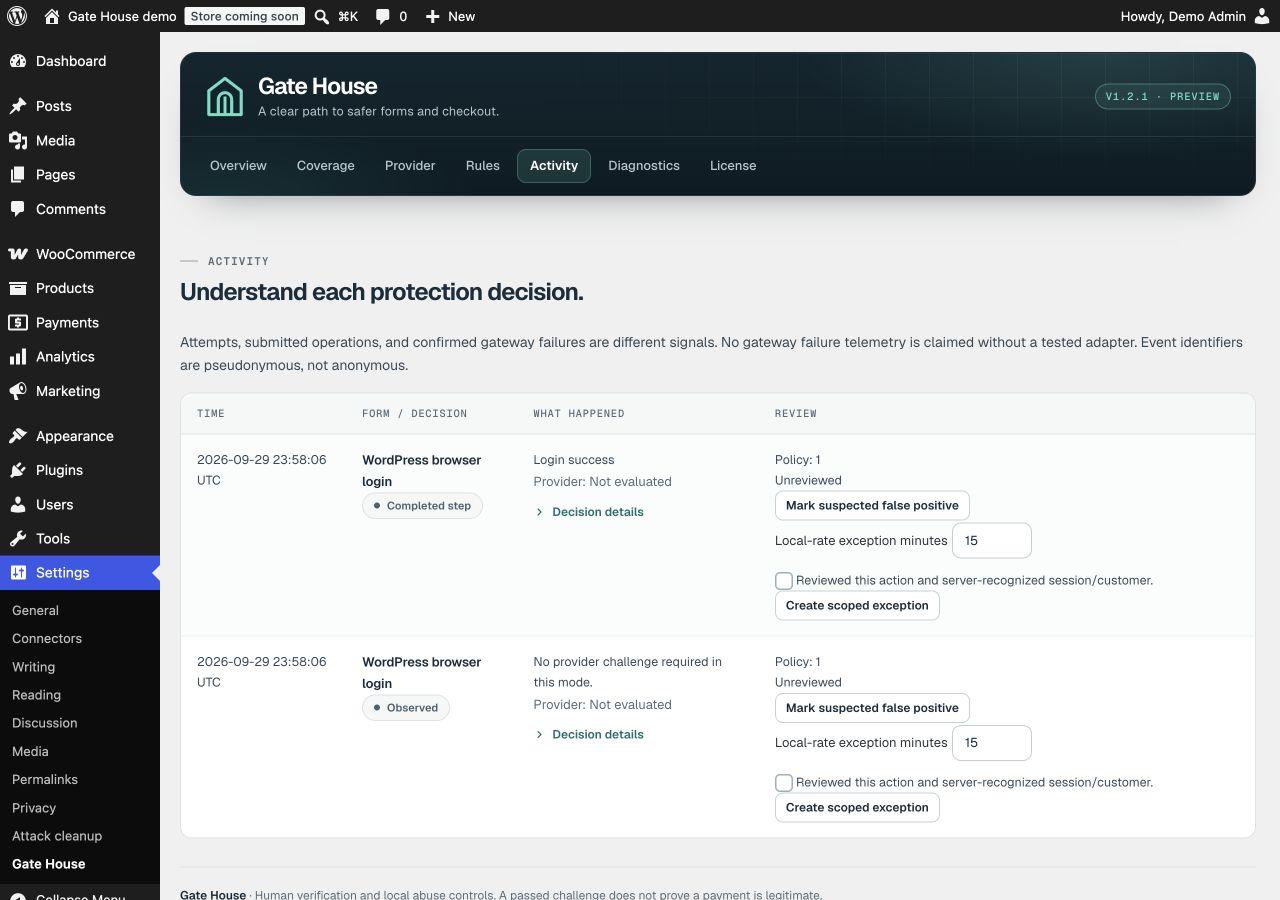
Find the relevant event
Use Previous page and Next page to review the table. Match the reported time and form, then read What happened. A missing challenge, an exceeded attempt limit and an account-abuse match need different responses.
Open the decision details
Expand Decision details for the reference, rule and recorded signals. Observed means a check recorded information without blocking on that result. An account-abuse pattern observed in Observe mode did not itself reject the attempt. A completed step records a supported flow outcome; it is not proof that a payment was legitimate.
Flag a possible mistake
Open Review and choose Mark suspected false positive if the attempt appears legitimate. This records your review; it does not automatically unblock the visitor or change a rule. Reproduce the issue on staging before adjusting Pro protection settings.
Gather a report if you need help
Open Diagnostics → Download diagnostic report. Send the report, event reference and reproduction steps through support. Review the file before sharing it, and redact anything identifying your site that you don’t want to disclose. Never send passwords, provider secrets or customer payment details.
What does Pause limits do?
For an eligible event, an authorized administrator can open Review, choose Pause attempt limits for this visitor, enter a duration and acknowledge that they recognize the session or customer. Pause limits relaxes only local attempt limits for that action. It does not bypass provider verification, account-abuse blocking or quarantine.
Can I export activity with WP-CLI?
Pro includes a read-only command for a bounded selection of recent events:
wp gate-house activity --last=24h --limit=100 --format=csvThis returns up to 100 recent events within the requested window, not the entire retained history. Use --format=json for JSON. The command omits pseudonymous visitor identifiers. The retired wp usp alias is not supported by current releases.
How do I move Pro settings to another site?
In Diagnostics → Move settings to another site, use Download settings without secrets. On the destination, review the file and use Import in observation mode. Local allow and block rules require a separate import acknowledgement. Connect and test the destination’s provider, review the imported rules and explicitly enable the intended checks.
This is a settings export, separate from the diagnostic report and activity export. Review local rule values before sharing a settings file.