Documentation
Check your forms and checkout
Coverage helps you see what Gate House supports, which checks you enabled, and what has actually been observed or tested. Use it alongside your own customer journey tests.
In WordPress: Settings → Gate House → Coverage
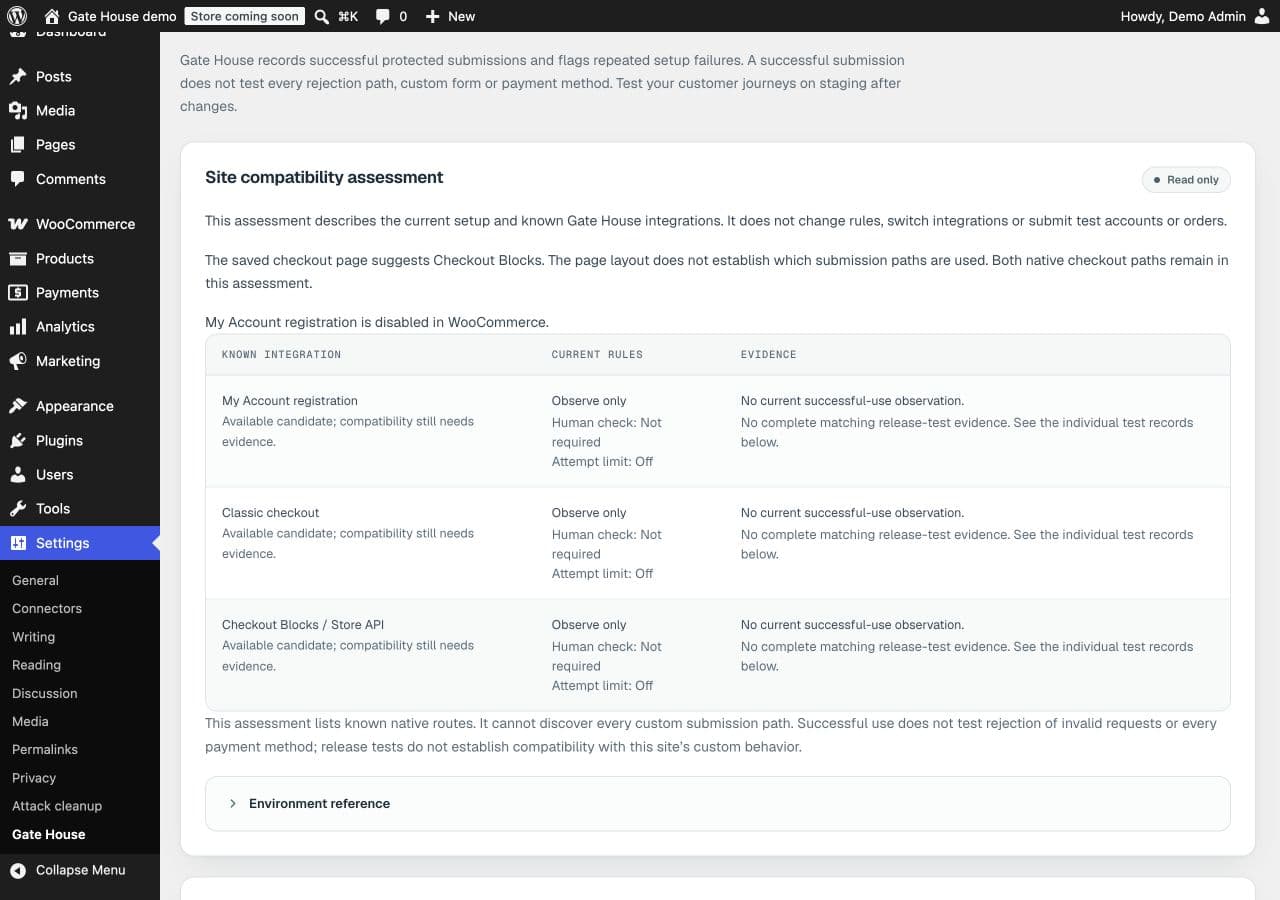
Find the journeys your site uses
Review the compatibility assessment, then find your forms in the coverage table. Open See the evidence to distinguish successful use on your site from recorded release tests. The assessment reads your setup; it doesn’t enable rules, create accounts or place orders.
Read the status before changing anything
Working means the supported path has current successful-use evidence or matching release evidence. Awaiting first use means a human check is required but current evidence is missing. Attention points to repeated problems worth investigating in Activity.
Observe only does not mean every control is off: check the human-check and attempt-limit settings separately. Unsupported identifies a route without a supported integration.
Test on your staging site
Keep your administrator session open and use a separate private browser window for testing. For payments, use your gateway’s sandbox. Try a normal successful submission for each form you protect. If human checks are enabled, also test a rejected check. For a store, include guest checkout, account creation during checkout, signed-in checkout and order-payment retries where offered.
Which integrations are included?
Native WordPress sign-in, registration, password reset requests and comments; WooCommerce My Account, classic checkout, Checkout Blocks and native order-payment routes; and Contact Form 7 submissions. Product reviews use the comments integration.
Custom forms, headless clients, express wallets, saved-card setup, subscription renewals and gateway-specific payment routes need separate assessment. A successful checkout does not prove every payment method or rejection path works.